
Download Dubformer – AI Dubbing, Localization & Subtitling Tool
Overview
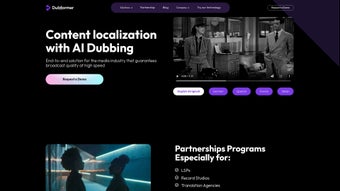
Dubformer is a next‑generation AI‑driven localization platform built specifically for the media and entertainment industry. It consolidates the most time‑consuming post‑production tasks—AI dubbing, voice‑over, subtitles, and closed captions—into a single, cloud‑based workflow. What sets Dubformer apart is its AI dubbing engine, which delivers natural‑sounding voice‑overs in dozens of languages while preserving the emotional nuance of the original performance.
The solution is paired with a human‑in‑the‑loop quality control process, ensuring that every translation meets broadcast‑grade standards. In addition to dubbing, Dubformer provides AI‑powered mixing tools that create immersive soundscapes, post‑delivery correction capabilities, and a scalable infrastructure that can handle large‑volume projects without sacrificing speed. Content creators, broadcasters, streaming services, and post‑production houses trust Dubformer for end‑to‑end localization because it reduces costs, shortens turnaround times, and maintains the artistic integrity of the original material.
Whether you are localizing a feature film, a TV series, or a corporate video, Dubformer offers a secure, reliable, and cost‑effective pathway from source content to fully localized output.
Key Features
- AI Dubbing Engine: Generates human‑like voice‑overs in over 30 languages, with customizable voice profiles and emotional tone control.
- Automatic Subtitling & Closed Captions: Real‑time transcription, translation, and formatting for compliance with regional accessibility standards.
- AI Mixing & Soundscape Creation: Adaptive audio mixing that balances dialogue, music, and effects for a cinematic experience.
- Human Quality Assurance: Professional linguists review AI output to guarantee accuracy, cultural relevance, and broadcast quality.
- Post‑Delivery Corrections: Seamless edit‑and‑re‑render workflow that lets users make tweaks after the first delivery without restarting the process.
- Scalable Cloud Infrastructure: Handles single‑episode projects to full‑season batches with automatic load balancing.
- Secure Data Handling: End‑to‑end encryption, GDPR compliance, and role‑based access control protect sensitive media assets.
- Integration & API: RESTful API and plug‑ins for popular NLEs (Adobe Premiere, Avid Media Composer, DaVinci Resolve) enable smooth pipeline integration.
- Partnership Programs: Tiered pricing, revenue‑share models, and co‑branding options for studios and localization agencies.
- Broadcast‑Grade Guarantees: Conforms to EBU, FCC, and ATSC standards for delivery formats, loudness, and metadata.
Each feature is designed to eliminate the friction points that traditionally plague multilingual production. For instance, the AI dubbing engine leverages transformer‑based speech synthesis models trained on millions of hours of native speech, which translates into a natural cadence that mirrors the original actor’s timing and intonation. The subtitle module automatically synchronizes text with speech, applying industry‑standard formats like SRT, VTT, and TTML, while also supporting right‑to‑left scripts for Arabic or Hebrew. The mixing tool uses spatial audio algorithms to preserve the immersive quality of 5.1 or Dolby Atmos mixes, even after language replacement. Together, these capabilities make Dubformer a one‑stop solution that reduces the need for multiple third‑party vendors, cuts licensing overhead, and accelerates the go‑to‑market timeline for global audiences.
Installation & Usage Instructions
Dubformer operates as a SaaS platform, meaning there is no traditional “install” process for the core engine. Users simply create an account on the official website, verify their email, and gain immediate access to the dashboard. The onboarding workflow is guided by a step‑by‑step wizard that walks you through project creation, media upload, language selection, and output preferences.
Step‑by‑Step Guide
- Account Creation: Visit dubformer.com, click “Sign Up,” and fill in your organization details. Choose a plan that fits your volume (free trial, pay‑as‑you‑go, or enterprise).
- Project Setup: From the dashboard, select “New Project.” Upload your source video (supported formats: MP4, MOV, MXF) and specify the target languages.
- AI Dubbing Configuration: Pick a voice profile for each language, adjust speed, pitch, and emotional tone, then enable “Human Review” for final quality checks.
- Subtitle & Caption Generation: Enable automatic transcription, select the subtitle format, and define time‑code standards (e.g., drop‑frame for NTSC).
- Mixing & Audio Export: Choose your desired audio layout (stereo, 5.1, Atmos) and let the AI mixing engine balance the new dialogue with existing music and effects.
- Review & Approve: Use the web‑based player to preview dubbed tracks, subtitles, and mixed audio. Request revisions if needed; the platform supports instant post‑delivery corrections.
- Export & Delivery: Once approved, download the localized assets or push them directly to your CDN, broadcast server, or streaming platform via API.
For studios that prefer to keep some processing on‑premises, Dubformer offers a lightweight Windows or macOS client that can be installed to handle secure upload and decryption of high‑value content before it reaches the cloud. The client is a 25 MB installer available from the “Downloads” section of the portal. After installation, you log in with the same credentials, and the client automatically syncs with your cloud workspace.
Overall, the user experience is designed to be intuitive even for non‑technical editors. Contextual help icons, video tutorials, and live chat support are embedded throughout the interface, ensuring that you can focus on creative decisions rather than technical hurdles.
Compatibility
Dubformer is a cross‑platform solution. The web dashboard works on any modern browser (Chrome, Firefox, Edge, Safari) across Windows 10/11, macOS 11+, Linux distributions, as well as mobile browsers on Android 9+ and iOS 13+. The optional desktop client is available for Windows 10/11 (64‑bit) and macOS Monterey or later. Because all heavy AI processing occurs in the cloud, local hardware requirements are minimal – a stable internet connection and a recent CPU are sufficient for uploading and previewing media.
Pros and Cons
Pros
- Highly natural AI‑generated voices with emotional control.
- End‑to‑end workflow eliminates the need for multiple third‑party tools.
- Scalable cloud architecture handles large projects without performance loss.
- Human‑in‑the‑loop QA guarantees broadcast‑grade accuracy.
- Secure, GDPR‑compliant data handling and encrypted transfers.
- Extensive language library (30+ languages, multiple dialects).
- Flexible pricing models and free trial for low‑risk evaluation.
- Robust API enables integration with existing NLE pipelines.
Cons
- Reliance on internet connectivity; offline editing is limited to the optional client.
- Initial learning curve for advanced mixing and API configuration.
- Premium human review incurs additional costs per hour of media.
- Some niche languages/dialects are still in beta and may have limited voice options.
- Export formats are extensive, but highly customized delivery specifications may require extra scripting.
FAQ
How does Dubformer ensure the AI‑generated voice sounds natural?
Dubformer’s speech synthesis model is built on large‑scale transformer architectures that have been trained on millions of hours of native speech. The system captures prosody, intonation, and timing patterns, allowing it to mimic the original performer’s rhythm. Users can also fine‑tune emotional parameters (e.g., excitement, calm, sadness) to match the scene’s mood, and a final human reviewer validates the output for any unnatural artifacts.Can I use Dubformer for live‑streaming events?
Yes. Dubformer offers a low‑latency streaming API that can ingest live video feeds, generate real‑time subtitles, and produce AI‑dubbed audio streams. While the latency is typically under 2 seconds, you’ll need a stable high‑bandwidth connection and a subscription plan that includes live‑stream processing.What file formats does Dubformer support for export?
Dubformer exports video in MP4 (H.264/H.265), MOV, and MXF containers. Audio can be rendered as WAV, AIFF, or AAC, with support for multichannel layouts (stereo, 5.1, 7.1, Dolby Atmos). Subtitle and caption files are available in SRT, VTT, TTML, SCC, and STL formats, all adhering to regional broadcasting standards.Is there a free trial, and what are its limitations?
Dubformer offers a 7‑day free trial that includes up to 30 minutes of AI‑dubbed content and unlimited subtitle generation. The trial provides access to all language packs but does not include the premium human‑review service. After the trial, you can upgrade to a pay‑as‑you‑go or enterprise plan.How does Dubformer handle data security and privacy?
All media files are encrypted in transit using TLS 1.3 and at rest with AES‑256 encryption. Access is controlled through role‑based permissions, and the platform is fully GDPR‑compliant. For highly confidential projects, Dubformer can be deployed within a private virtual network (VPC) with dedicated encryption keys.Conclusion & Call to Action
Dubformer stands out as a comprehensive, AI‑powered localization suite that bridges the gap between speed, cost, and broadcast quality. By combining cutting‑edge speech synthesis with a robust human review layer, it delivers voice‑overs and subtitles that feel authentic while dramatically cutting production timelines. The platform’s scalability, secure cloud architecture, and flexible integration options make it a future‑proof investment for studios, streaming services, and corporate video teams alike. If you’re looking to expand your content’s global reach without compromising on artistic integrity, Dubformer offers a secure, efficient, and cost‑effective pathway. Start your free trial today, upload your first clip, and experience AI‑driven dubbing that sounds genuinely human.



.png)



